


Leeloo AAC - Autism Speech App
3.8120.00 Reviews
App Specs
- Version
- 2.7.5
- Updated On
- License
- Free
- Downloads
- 100,000+
- Developer
- Assistive Cards
- Categories
- Parenting
- Platform
- Android
Screenshots
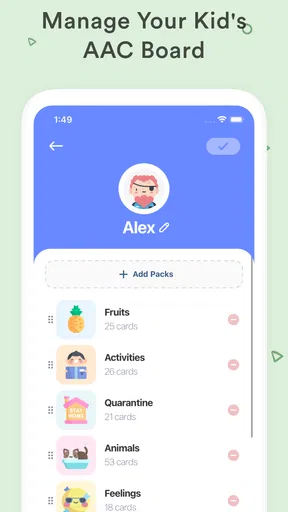

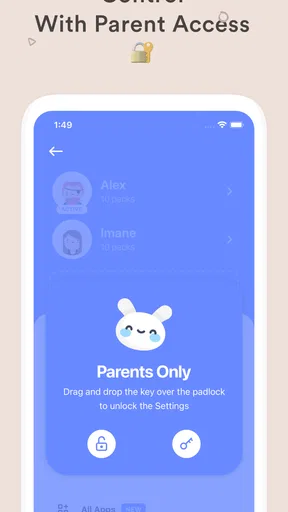
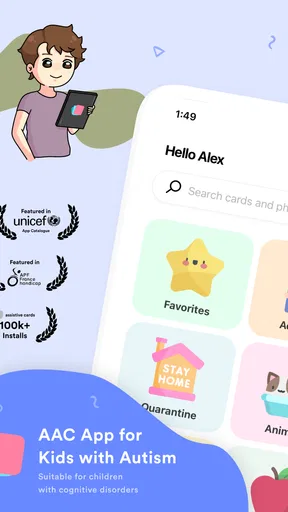
 Analysis by AppCompare
When several people share the care of a child who communicates with picture-based speech support, the practical challenge is not only finding the right app. It is making sure the device is available, familiar, and used in a way that respects the child’s communication habits. I see Leeloo AAC - Autism Speech App as a tool worth exploring for that kind of household routine: it gives a person a way to select words and have them spoken aloud, while leaving caregivers responsible for shaping how it fits into daily life.
A communication tool that can travel around the household
A shared tablet can make a communication app easier to reach at home, but sharing a screen also calls for a little planning. I would decide where the device usually lives and make a simple habit of returning it there after use. If it is often in another room, a child may have to wait or ask someone to retrieve it just when they want to communicate. That is not a flaw unique to this app; it is a household logistics issue that can undermine any digital communication aid.
For example, during breakfast, a child might use the app to express a choice while one caregiver prepares food and another helps a sibling. Having the device within reach can make that exchange less dependent on an adult guessing. The useful test is whether the child can access it at the moment communication matters, not just whether the app looks clear when an adult opens it.
Decide who changes the setup
Because the app can be personalized, I would treat changes to its vocabulary and presentation as deliberate decisions rather than casual tinkering. A parent, therapist, or other regular communication partner can help keep the choices meaningful, but the person using the app should remain central to those decisions. If several adults make edits independently, the layout or available words may become inconsistent from one session to the next.
A practical approach is to agree on who will make changes and to introduce them gradually. Before altering a familiar choice, consider whether it is used reliably and whether the person has another straightforward way to communicate that message. A digital board should add possibilities, not quietly remove a dependable route to being understood.
Coordination matters more than a perfect screen
Leeloo AAC can be part of a broader communication routine, but an app cannot coordinate caregivers by itself. I would share a few simple observations with the people who support the user: which choices are familiar, what situations cause difficulty, and how to give enough time for a response. That kind of consistency can matter more than adding a large number of words at once.
It is also worth agreeing not to treat the spoken output as the only valid communication. A person may point, gesture, vocalize, or take time to choose. Caregivers who pause and listen rather than immediately tapping on the person’s behalf help preserve the app’s role as the user’s tool. This is especially important in a busy household, where adults may be tempted to hurry through a choice.
Worth Reading Before You Choose

EA SPORTS FC Mobile 26 Is a Bigger Football Game, but It Takes Time

Flipboard Shows What News Apps Must Do Beyond the Feed

Switching to Android Auto Means Rethinking Your Driving Routine

Google Calendar Makes a Crowded Week Easier to Manage

Ludo King Makes the Most of the Minutes Between Plans

Baby Panda World Brings Quick Play to Modern Phones, but Its Game Library Feels Busy
Age suitability is not the same as individual suitability
The app is listed as suitable for everyone, and its parenting focus makes it relevant to families supporting children with communication needs. Still, an age label cannot tell a caregiver whether a particular interface, vocabulary set, or interaction style will suit an individual. I would try it alongside the child, watch what they can use independently, and adjust expectations based on their responses rather than assuming that every child will find the same screen intuitive.
It is free to install, while in-app purchases are listed from $6.99 to $99.99 per item. That makes it sensible to explore the available experience before paying for anything and to involve the person who will use it in deciding whether it is worthwhile. Leeloo AAC is developed by Assistive Cards, has a 3.8 average from 918 ratings, and has passed 100K installs. Those figures offer a little context, but they cannot replace a hands-on check of whether its communication approach works for your family.
First Impressions
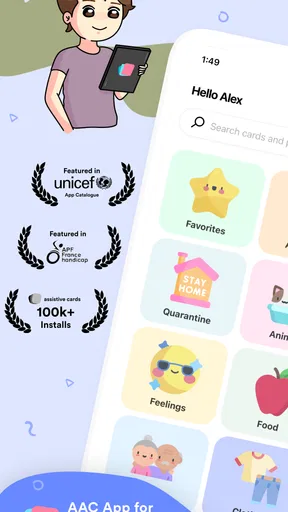
You know when you download an app and it’s love at first sight? That’s kind of what happened with Leeloo AAC. The interface is super friendly and not overwhelming at all, which is crucial, especially for those who might find too much stimuli distracting. It opens up with a clean, colorful display that’s both inviting and functional.
Ease of Use
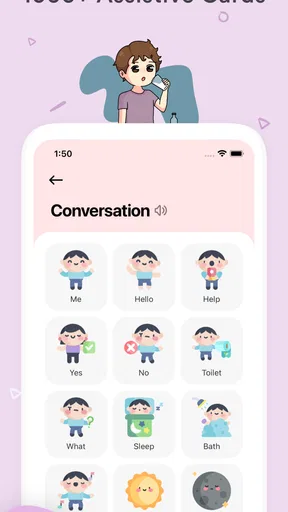
Let’s dive into how easy it is to navigate this app. I found myself quickly getting the hang of it, thanks to its intuitive design. Everything feels like it’s right where it should be. Users can easily tap on icons to form sentences or communicate needs. The simplicity here is definitely a win, as it ensures that even first-time users can get started without a hitch.
Customization Options
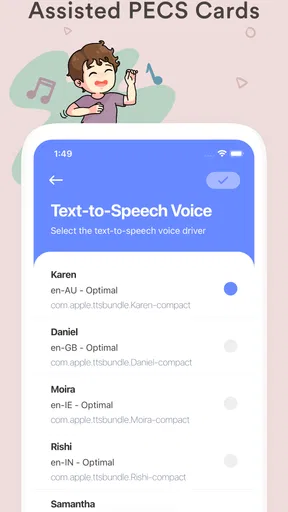
One of the standout features is how customizable everything is. You can tweak the settings to cater specifically to the user's needs, whether it’s adjusting the voice output or selecting different icons that best represent the user’s world. This level of personalization is a game-changer because it means that the app isn’t just a one-size-fits-all solution, but rather a tailored tool.
Functionality and Features
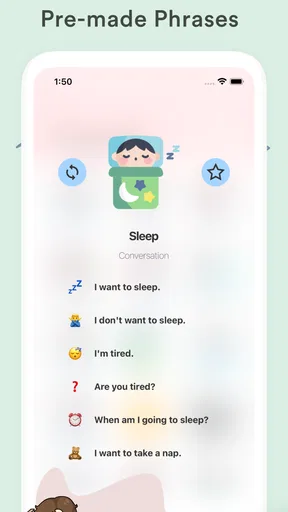
Now, let’s talk about what you can do with this app. It’s designed to assist non-verbal or minimally verbal individuals in expressing themselves with ease. The app covers a broad range of vocabulary and scenarios, from basic needs to more complex emotions. It’s like having a digital communication board in your pocket. The text-to-speech function is clear and understandable, which is so important in avoiding miscommunication.
What’s really neat is the app’s ability to grow with the user. As vocabulary expands, new words and phrases can be added. It’s almost like having a communication partner that evolves alongside you.
Real-Life Application
In practice, this app is a lifesaver. Imagine being able to express what you want or need without the frustration of not being understood. Users have reported feeling more independent and confident, which is invaluable. It’s not just about the technical side of things but also how it positively impacts daily life.
For parents or caregivers, this app provides a sense of relief. Knowing that your loved one has a reliable tool to communicate is comforting. It opens up new avenues for interaction and strengthens bonds.
Compatibility and Accessibility
It’s available on both Android and iOS, which is great for accessibility. Whether you’re using a tablet or a smartphone, Leeloo AAC runs smoothly. Plus, it’s lightweight, so it doesn’t hog all your device's storage space.
Choosing it alongside other communication options
Families often weigh a speech app against a printed picture board, a notebook, or another AAC tool. A printed board is ready without unlocking a device and can be useful as a backup, but it is less adaptable when vocabulary changes. A digital app can speak selected words and be personalized, yet it depends on the device being available and charged. I would not treat one format as a complete replacement for the others; keeping a familiar non-digital option nearby can help when a phone or tablet is unavailable.
This app is most promising for someone who benefits from tapping visual choices and hearing those choices spoken. It may be less suitable for a person who finds touchscreens confusing, needs a very different communication layout, or already uses another AAC system that is established and effective. Switching simply because a new app is available can disrupt a familiar routine. If a speech-language professional is involved, I would discuss any change with them and let the user’s comfort and communication success guide the decision.
Small routines that make use more dependable
One useful habit is to practice the same everyday exchange in more than one setting: choosing a snack at home, then making a similar choice when visiting someone. The point is not to drill words but to help the user encounter the app in ordinary, low-pressure moments. Caregivers can also leave enough time after a selection for the spoken output to be heard, instead of immediately repeating the question or taking over.
Another trade-off is breadth versus familiarity. Adding vocabulary can support more specific expression, but a crowded or frequently rearranged screen may make common choices harder to find. I would prioritize words the person actually wants to use and make changes only when there is a clear reason. The best customization is not the most elaborate one; it is the one that helps the user communicate without relying on someone else to navigate for them.
What to check before making it a household staple
The app’s current version is 2.7.5 and it requires Android 5.0 or later on Android devices. Before settling on a shared device, I would check that the device is compatible, that the screen is comfortable for the user, and that the app is easy to reach without navigating through a cluttered home screen. The iOS availability makes it an option for Apple users too, but the experience should still be tested on the particular device and by the person who will use it.
It is also fair to ask whether the free experience meets your needs before considering a purchase, and whether a shared device creates practical interruptions. If adults use the same tablet for other tasks, agree on when it is set aside for communication and return it promptly. I would skip this app if the household cannot keep the device accessible or if the user’s established communication method is working better. In that case, a dedicated communication device, a printed board, or continued use of the current system may be the more dependable choice.
A measured household recommendation
Overall, I would consider Leeloo AAC a useful option to try for families who want a customizable, speech-enabled way to support everyday communication. Its appeal is strongest when the user finds the visual choices approachable and caregivers can keep the device available without taking control away from them. It is not a substitute for individualized communication support, nor does installing it guarantee that every person will find it suitable.
My recommendation is to introduce it in a calm, familiar situation, observe whether the person can make choices with increasing independence, and keep a backup communication method within reach. That gives you a fair sense of its value without turning a new tool into a household obligation. When it fits the user and the family’s routine, it can make small exchanges easier; when it does not, choosing another approach is a sensible outcome, not a failure.
Final Thoughts
All in all, Leeloo AAC - Autism Speech App is more than just a communication tool; it’s an empowering resource. Its thoughtful design and user-centric features make it a must-have for anyone needing a speech aid. It bridges the gap between silence and speech, offering a voice to those who need it most.
If you’re considering downloading it, I’d say go for it. It’s not just an app; it’s a step towards better communication and understanding. Happy chatting!
Pros
- User-friendly interface for easy navigation.
- Customizable vocabulary sets for personalization.
- Visual supports enhance communication.
- Offline functionality for uninterrupted use.
- Regular updates with new features.
Cons
- Limited free content may require purchases.
- Initial setup can be time-consuming.
- Lacks advanced analytics for tracking progress.
- No multilingual support currently available.
- Some features require a stable internet connection.
FAQs for Leeloo AAC - Autism Speech App
What is Leeloo AAC, and who is it designed for?
Leeloo AAC is an augmentative and alternative communication (AAC) app designed to assist non-verbal individuals, particularly those with autism, in overcoming communication barriers. The app provides user-friendly interfaces and symbols to help users express their needs, thoughts, and emotions effectively.
How does Leeloo AAC help in communication for non-verbal individuals?
Leeloo AAC employs a system of symbols and text-to-speech technology to facilitate communication. Users can select images and icons that represent words or phrases, which the app then verbalizes. This allows non-verbal individuals to convey messages, enhancing their ability to interact with others.
Is Leeloo AAC customizable for individual needs?
Yes, Leeloo AAC offers customization options to cater to individual requirements. Users or caregivers can add personalized images, adjust the vocabulary set, and modify settings to align with the user's specific communication needs and preferences, ensuring a personalized communication experience.
What platforms is Leeloo AAC available on, and how can it be downloaded?
Leeloo AAC is available for both Android and iOS devices. Users can download the app from the Google Play Store or the Apple App Store. The app may offer a free version and a premium version with additional features, depending on the user's needs.
Are there any subscription costs associated with Leeloo AAC?
While Leeloo AAC might offer a free version with basic features, there could be subscription costs for premium features. These may include expanded vocabulary sets, additional customization options, or advanced support features. It's advisable to check the app's pricing details in the respective app store before downloading.


